MAY 01, 2026 · Rizel Scarlett
How to Kill Manual Slide Creation with Entire
Signing up to speak at conferences is fun until the conference date starts approaching and you realize you still have to write and practice your talk. For me, writing the talk isn't the hard part. I have a process of talking to myself on a peaceful walk, or even in the shower, recording my voice, and then inserting the demos afterward. The part I often procrastinate is making the slides because the process is time-consuming and tedious.
I have tried automating slide generation before, but most tools are fragile. They lack taste and usually butcher the formatting. A few months ago, some of my former teammates at Block pointed me toward the frontend slides skill. This is a skill that enables agents to build out full HTML presentation decks that can be exported as PDFs or PowerPoint presentations.
This was a start, but it still felt like double work. I had to write huge prompts just to explain the demo I already built. Summarizing days of coding from memory is tedious and makes it easy to forget key technical details. I recently closed the loop by bringing Entire into my workflow. Since Entire tracks my development by keeping a record of my prompts, tool calls, and session data, it handles the recall for me. I no longer have to explain my work to the agent after the fact. Instead, I can use the record of what actually happened.
How I Use the Frontend Slides Skill
I start by giving my transcribed talk track to an agent to check for gaps in logic. Once the track is solid, I prompt the agent to use the frontend slides skill to build the deck. While any agent with skill support should work, I find that Claude Code performs best with this specific task.
Here is an examples of a slide deck my agent generated for me:
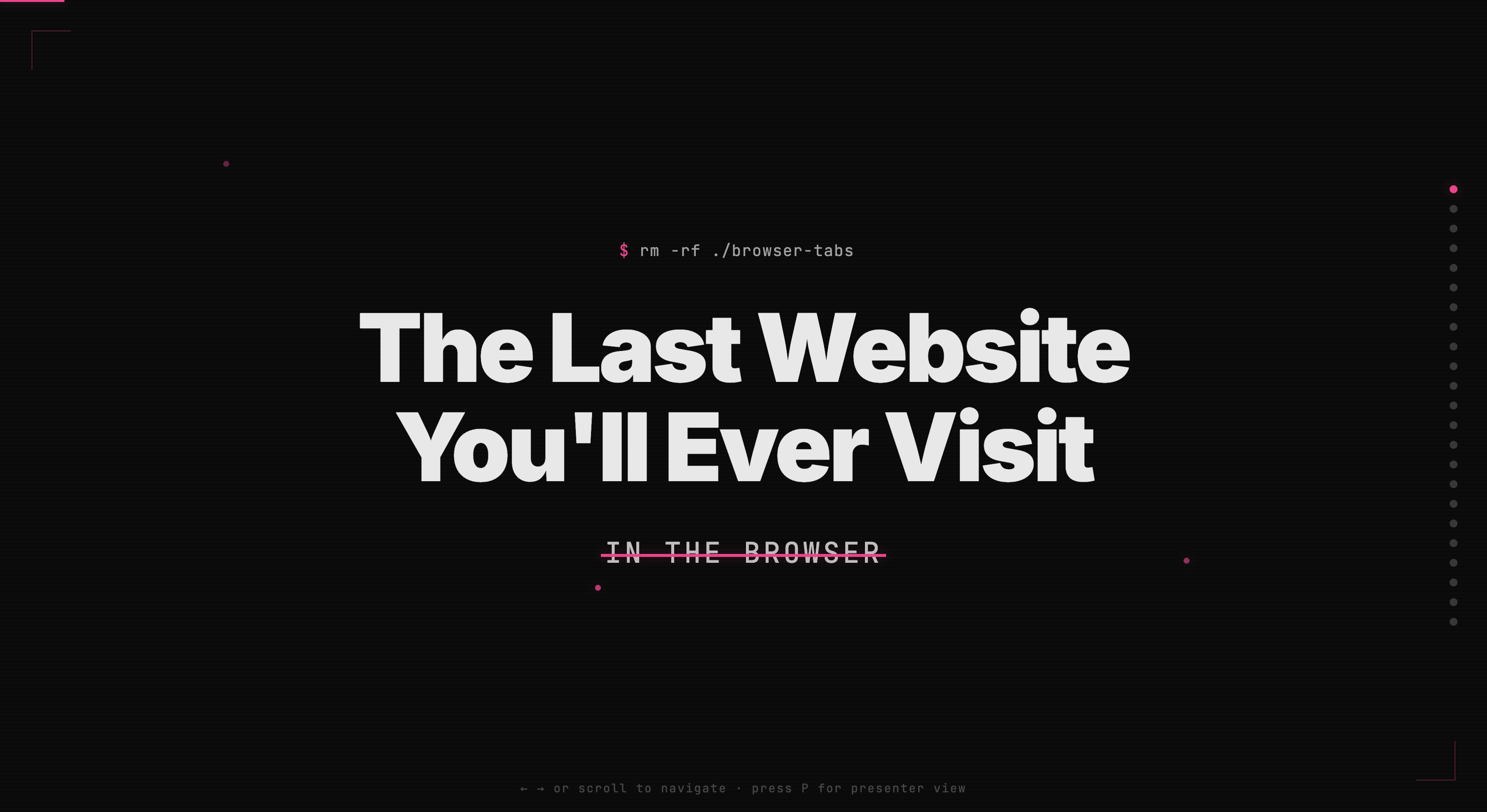
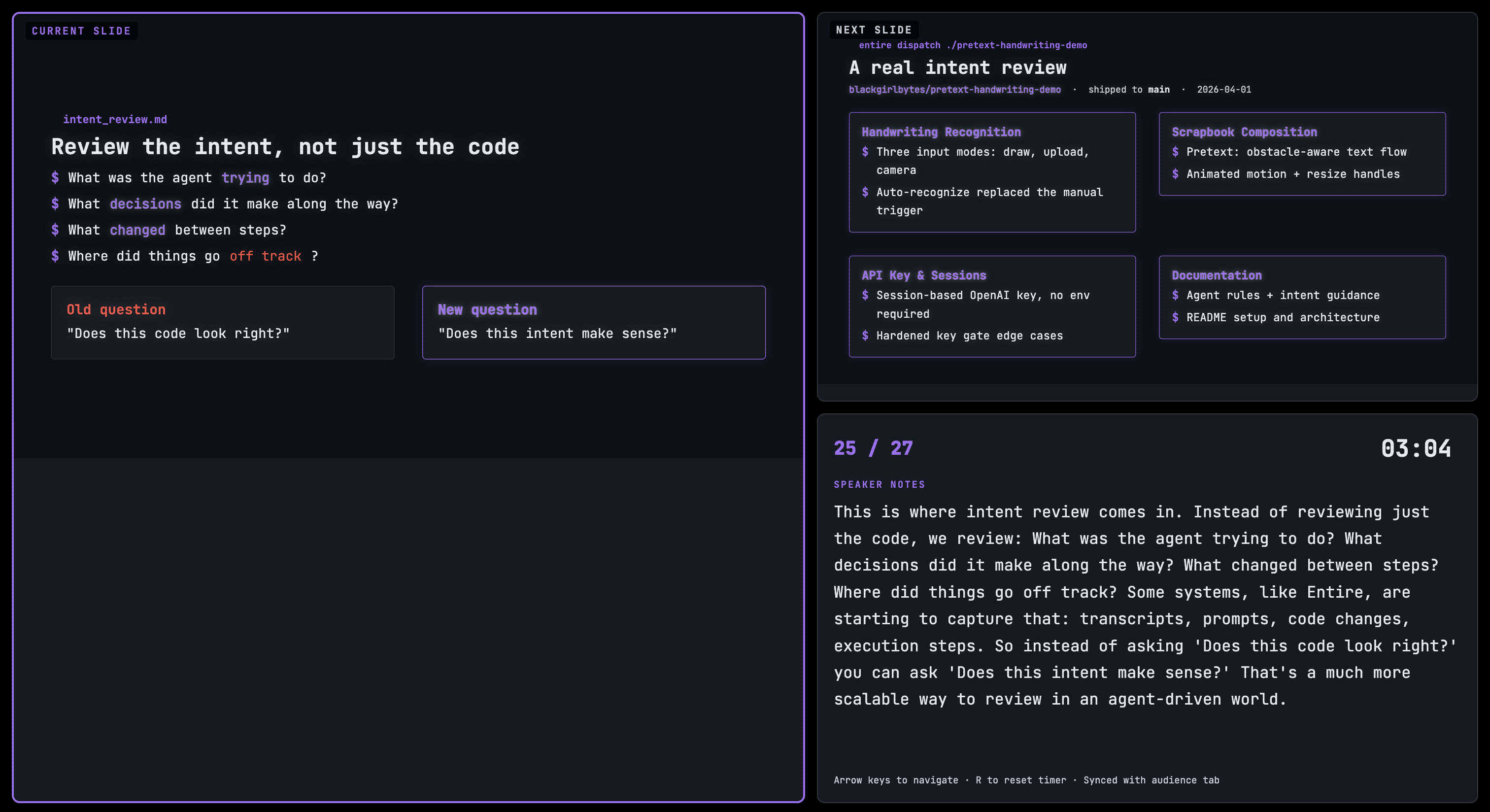
The agent suggests a few visual themes and generates a full deck using HTML, CSS, and JavaScript based on my response. Because the output is code, I can keep polishing it through the agent. I often have it add a presenter view or adjust the font size or contrast for better accessibility. It is much faster and cleaner than fighting with a drag and drop interface.
Here's an example of the presenter view my agent generated for me:
Introducing Entire to My Workflow
What is Entire anyways?
I use the Entire CLI to keep a record of my agent sessions. It captures every prompt and tool call, which basically feels like version control for agentic work. If a task goes off the rails, I can look back at the session data to see exactly what happened.
This level of detail helps with accountability. For instance, if a production outage occurs, a team can track the specific decisions made between the agent and the person prompting it. Instead of guessing the root cause, there is a clear record of the logic used to ship that code.
For my conference prep, I use that same record via the command. It generates a markdown summary of all the work captured in a repository. Instead of struggling to recall technical details a week after I finish a demo, I feed the dispatch summary to my agent. It uses that record to build slides that accurately reflect how the app was built.
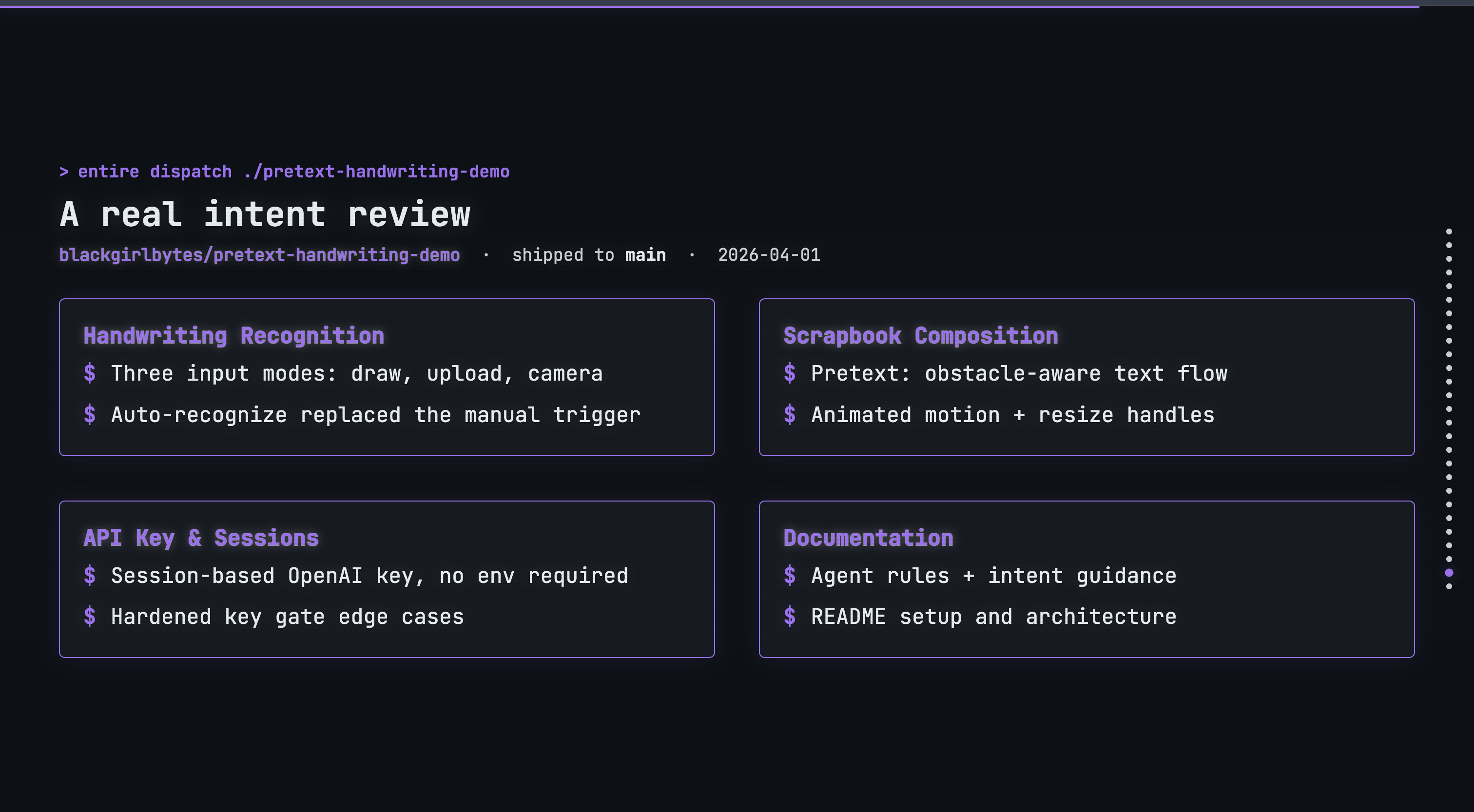
Here is a summary Entire generated for one of my past OCR projects:
# Dispatch: blackgirlbytes/pretext-handwriting-demo

Shipped a full handwriting recognition demo built on Pretext, moving from initial scaffolding to a polished scrapbook composition surface within a single day.

## Handwriting Recognition

- Built draw-mode handwriting recognition as the core interaction surface.
- Added image upload and camera mode alongside the drawing canvas.
- Implemented auto-recognition after drawing completes.

## Scrapbook Composition Surface

- Integrated Pretext to handle obstacle-aware text flow around placed shapes.
- Added animated motion, resize handles, and cleaner composition controls.

## API Key & Documentation

- Added session-based OpenAI key setup to avoid requiring environment-level configuration.
- Documented project setup and architecture in the README.

All core features landed on main on April 1, 2026; the repo is in a reviewable state.
As a result, my agent produced the following slide:
Beyond DevRel
While my workflow is specific to conference speaking, this setup is useful for anyone who needs to turn technical work into a narrative. Here are a few other ways to use it:
- Internal Feature Demos: My husband is a developer and he hates how much time it takes to build a deck just to show his team what he built. Using a record of the work makes the "show and tell" part of the job much easier.
- Hackathons: Presentation decks usually get ignored until the final hour because everyone is busy coding. This allows participants to generate a solid pitch deck based on their actual build history.
- Solutions Engineering: A lot of effort goes into building custom demo environments. Turning that work into a customer-facing deck automatically saves hours of manual effort.
- Technical Instruction: Instructors can turn the work they did while building a sample app into slides that explain the architecture and key takeaways.
- Engineering Leadership: For EMs or Tech Leads, the hard part is often summarizing complex technical updates for leadership. Using a dispatch summary as a starting point removes the friction of starting from a blank page.
- Founders: When you are moving fast, you do not want to stop for hours of slide design after you finish the actual product.
I don't believe in automating things that deserve a human touch, but I do believe in automating things so I can spend more time with humans. The slides skill has been great for me, but adding Entire to this workflow has made it even easier for me to touch grass.
At Entire, we are building for a future where agentic work is durable and accountable. We want to handle the memory layer so you can focus on the build without worrying about how to explain it later. Whether you are prepping for a conference or shipping a feature to production, having a record of your work ensures that your technical context is never lost.
If you are ready to make your agent workflows more durable, check out our website or dive into the docs. We would love to hear how you are using agents in our Discord.