OCTOBER 06, 2026 · Haimantika Mitra
Sharing Sessions is the New Social Coding
These days, collaborating is more complicated than ever. We all work with a variety of agents to generate heaps of code, and the spread of context those agents call upon grows wider by the day.
So if we’re shipping changes to our teammates, how can we get them up to speed as quickly as possible without losing context or breaking our flow? In other words, can the contents of our agent sessions become part of the artifact of a given piece of code?
With Entire, you can log sessions across multiple supported coding agents and also share the entire prompt history and context with your teammates. Here’s how I use Entire daily to write Entire’s official documentation:
Prompt Your Agent
I start by telling my agent what I’m trying to change.
Maybe I’m documenting a new workflow. Maybe an existing page is no longer accurate. Maybe I know what I want to explain but need help figuring out where it belongs in the docs.
Then we start working through it together.
As you can see in the video, I go through multiple rounds of prompts to get to the final result.
I might ask the agent to inspect the existing documentation first. Then I’ll ask it to draft a change. I’ll read that and realize the framing isn’t quite right. We’ll change the terminology, move a section, add an example, or remove something that makes a stronger claim than the product supports.
Sometimes I’ll ask a question before changing anything:
- Where else do we explain this?
- Are we using this term consistently?
- Can we make this easier to understand without losing the technical detail?
Eventually, that conversation produces the change I want. It contains the intent behind the edit, the questions we investigated, and the decisions I made along the way.
With Entire enabled in the repo, that work becomes part of the session. Entire captures the interaction with my coding agent, which include prompts, responses, tool activity, file changes and connects the relevant context to my commits through Checkpoints.
Share Your Session
Once I’m done with a documentation change, I share the work with my teammates for review. This is where the session helps.
As we saw above, my docs work usually involves several prompts. Once I’m happy with the change, I commit and push it. Entire keeps the session connected to that change.
I can run the command to find my recorded sessions in the terminal.
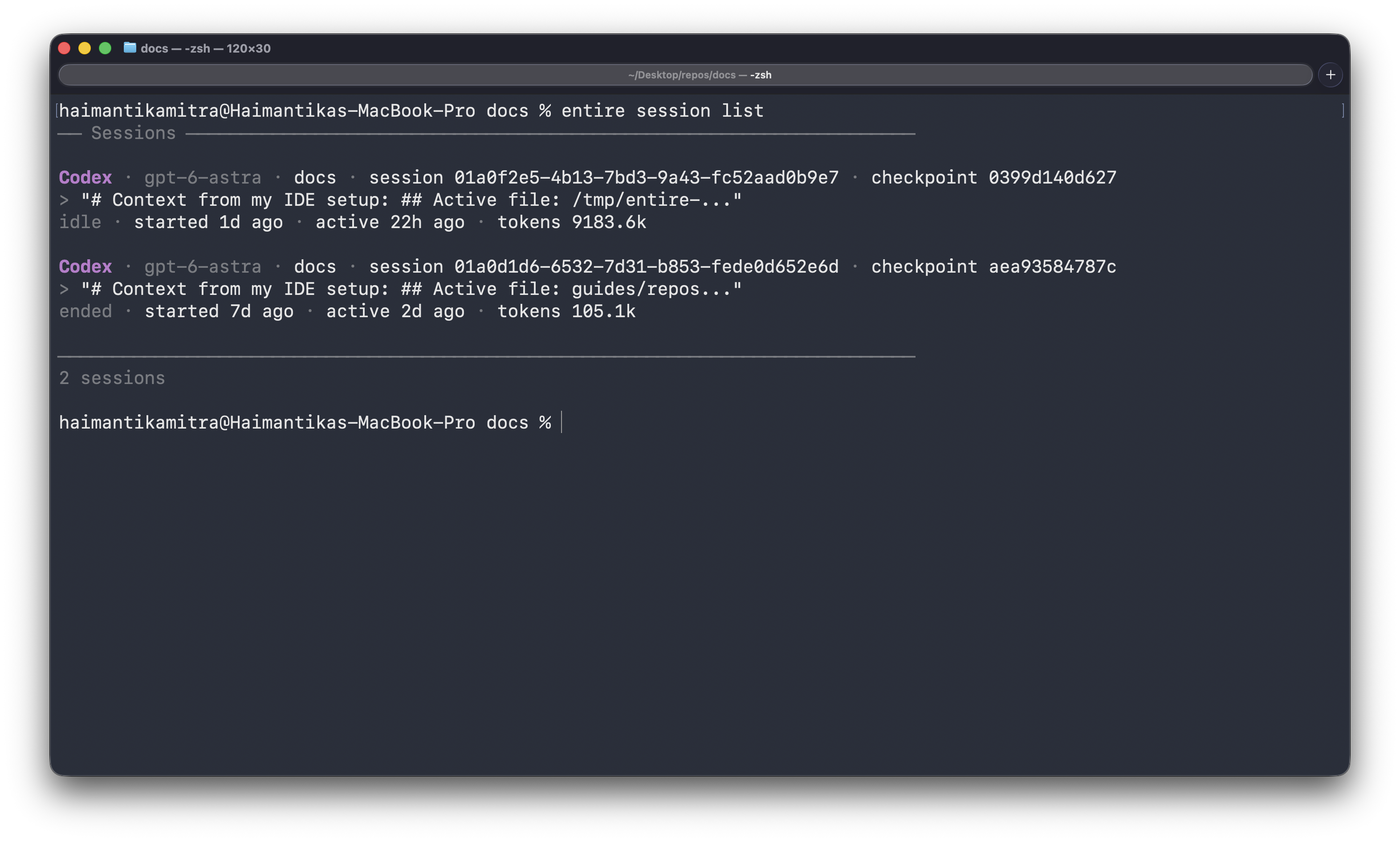
Or I can use Entire.io to share a live link with my teammates.
Now my teammates can see the prompts and agent responses behind the documentation change. They can also see the files and tool calls from my session. This gives them more context while reviewing my work and makes async work easier, without causing a million followup messages over Slack.
Filter by Prompts or Checkpoints
Some of my documentation sessions do get long, especially when I’m working on new launches and need to introduce new concepts.
I might ask the agent to check several pages or rewrite a section a few times, and I might even ask a series of clarifying questions before deciding how I want to explain something.
Most of the time, my teammates don’t need to go through the whole session line by line. For easier review, they can focus on the prompts that matter to the change.
In such cases, they can also use Checkpoints to focus on specific parts of the work. From the CLI, they just use the command to search for relevant Checkpoints and inspect them with .
Redact or Reverse As Needed
Not everything from an agent session needs to be shared (especially the prompts where I’m yelling at my agent to get something done).
Entire can redact secrets during capture so sensitive values are not included in the retained session context. In addition, I still control the documentation changes themselves. If the agent makes a change I don’t want, I can edit or roll it back using my normal Git workflow.
Then my teammates are left with all the useful context, without the stuff I don’t want to share. Read more about redaction on our official documentation.
Try It Yourself
You can use the same workflow in your own repository.
The first step is to enable Entire for your agent. For Codex, for example, run .
Then work with your agent as usual. Ask questions, make changes, and iterate until you’re happy with the result.
When you’re done, commit and push your work. Run to find the session or to see the Checkpoints created while you worked.
Then open the session on Entire.io and share it with your teammate. They get the work and the context they need to review it.